
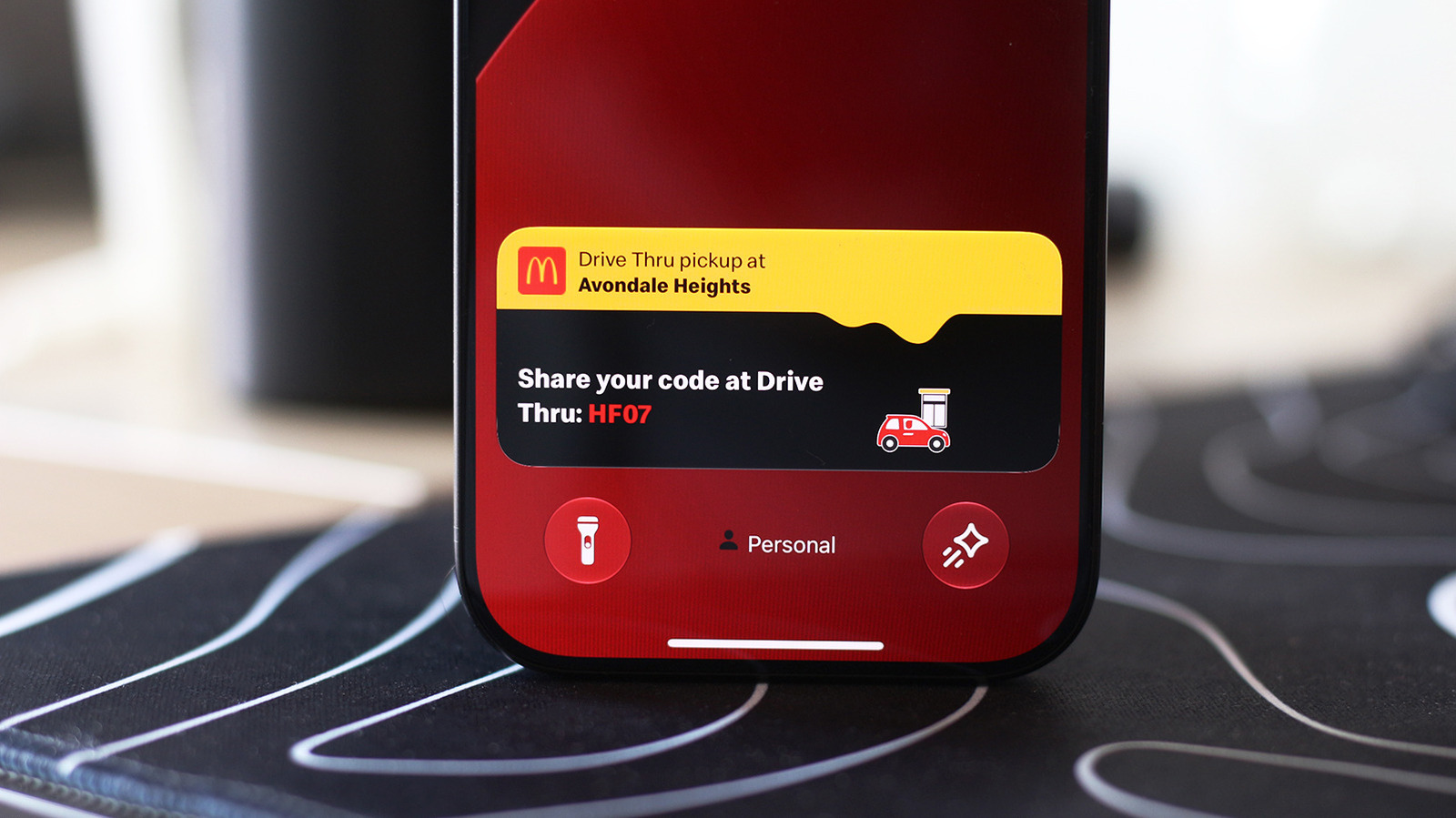
Live Activities are a feature in iOS that allow users to view real-time updates from apps directly on their Lock Screen or within the Dynamic Island. This functionality extends to CarPlay, providing drivers with essential information like navigation instructions, sports scores, or food delivery status without needing to interact with their phone while driving. To enable this feature, users must ensure their iPhone is running a compatible version of iOS and that the specific apps they wish to use support Live Activities. Once enabled in the app's settings, these notifications appear automatically when relevant events occur. This integration is designed to enhance safety and convenience by keeping critical data accessible at a glance. Users can manage these alerts through the Settings app under the 'Face ID & Passcode' or individual app notification menus to customize their experience and ensure that only the most pertinent information is displayed while on the road.
This is a summary. Read the full article at the original source:
EngadgetRelated stories
Apple has introduced significant updates to its Screen Time suite in iOS 27, providing parents with more robust tools to manage and monitor their chil…

Managing mobile data consumption is essential for users on limited cellular plans. Apple provides several built-in features on the iPhone that allow u…

Samsung Galaxy smartphones offer built-in security features designed to protect user privacy by restricting access to sensitive applications and files…